






YadaCall records you and the other side on two separate tracks and transcribes on your own computer. Audio never leaves it: no bot in the call, no account, no telemetry.
macOS 14.2+ on Apple Silicon · Windows 10/11 · Linux
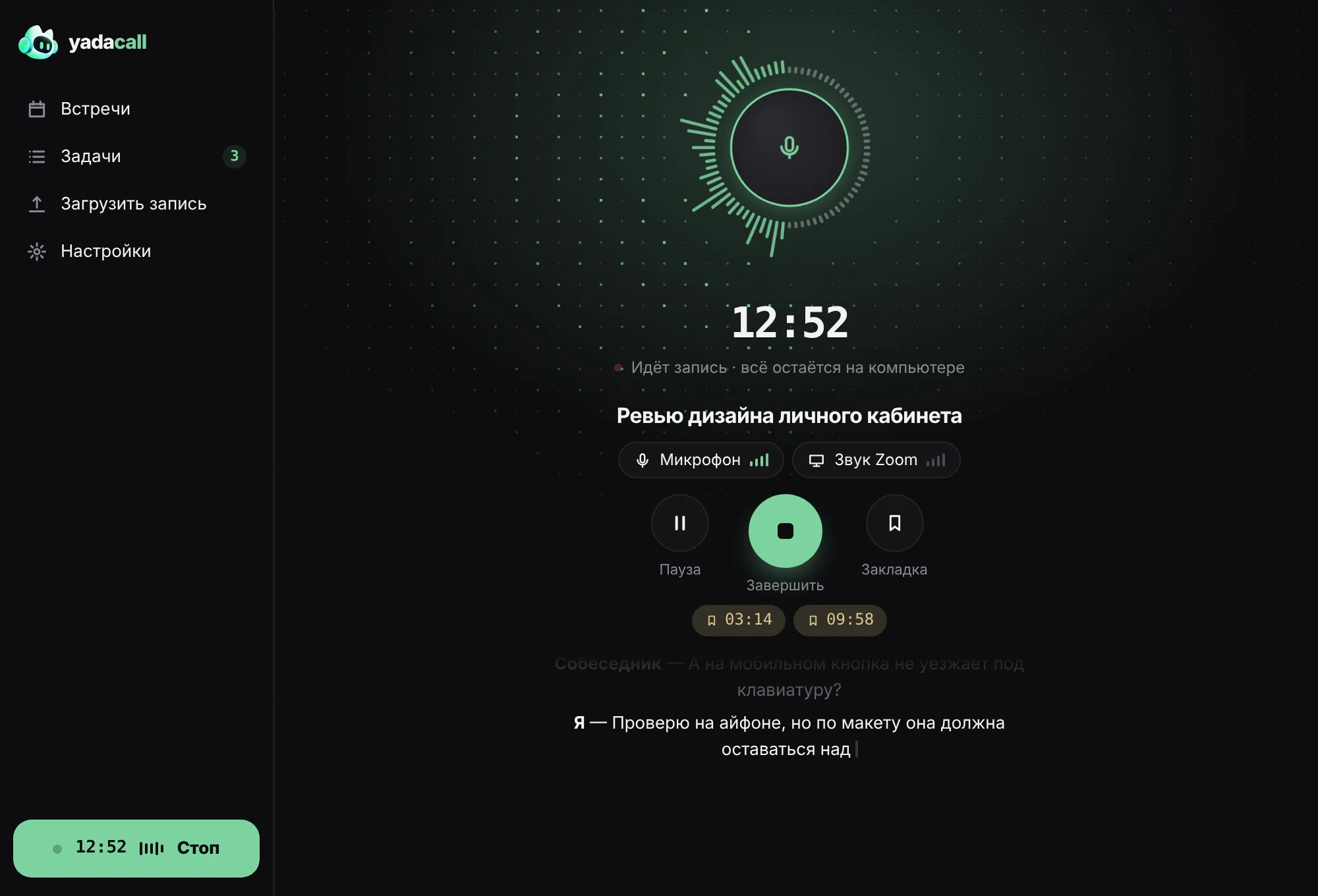
Text appears while you talk
Lines show up as the conversation goes. Hit Stop and the transcript is ready in seconds, not minutes. It all runs on your computer, no internet needed.
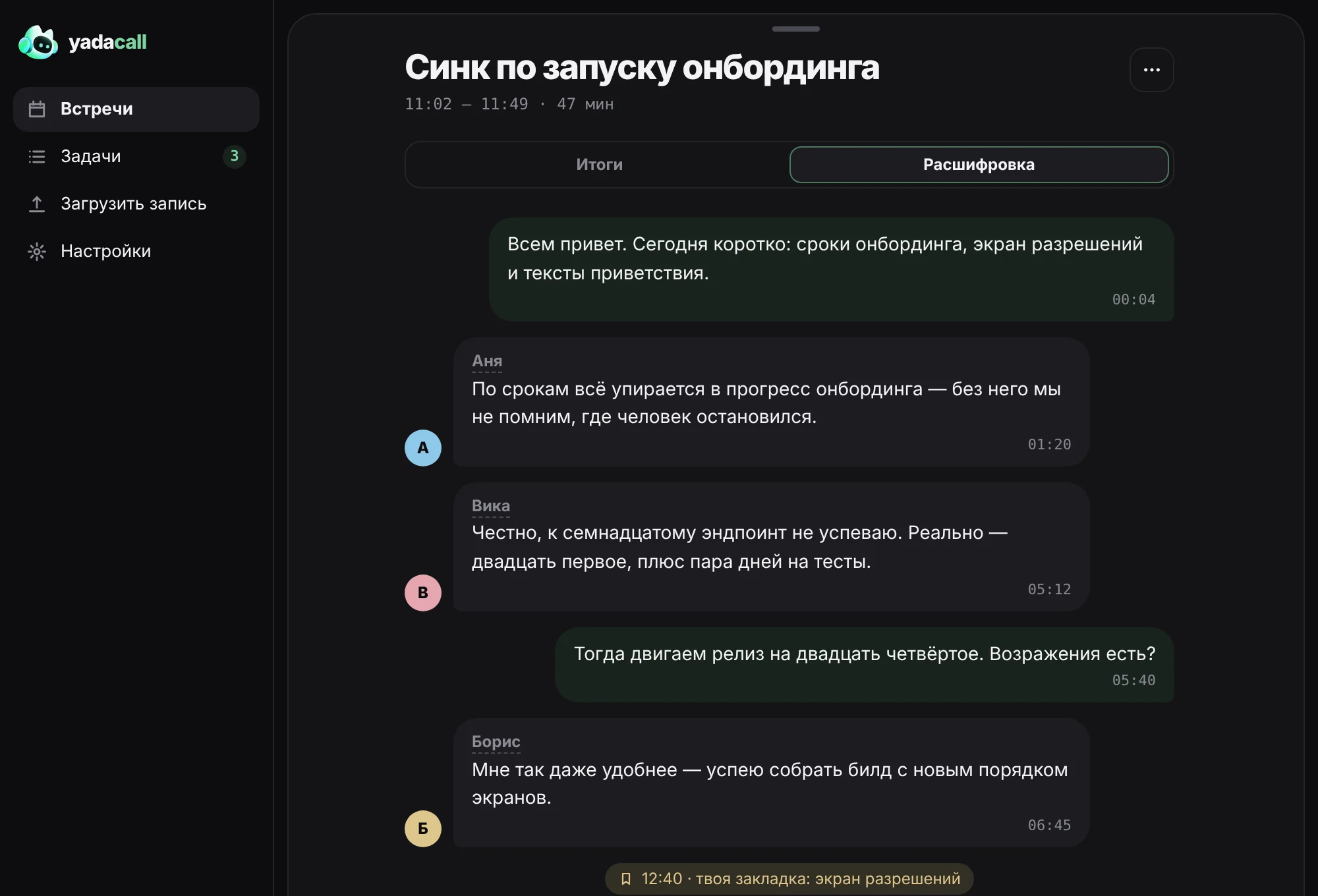
See who said what at a glance
You and the others are on separate tracks, so one-on-one calls never get mixed up. In group calls voices are labeled on-device, familiar voices are recognized from past meetings, and names come from the calendar invite.
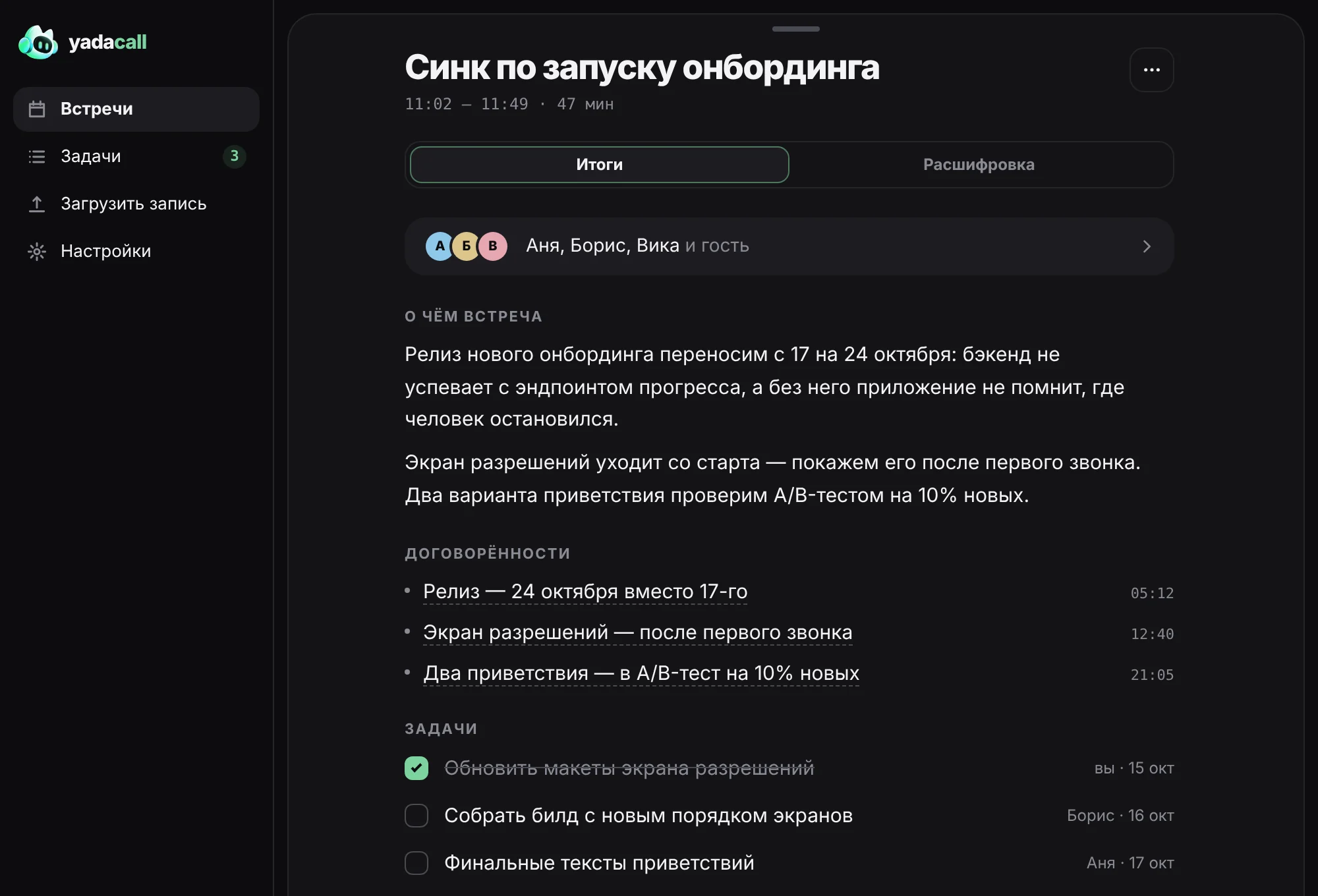
Decisions and tasks — each with a timestamp
What the meeting was about, who does what by when, what’s still open. Click any item to jump to that moment.
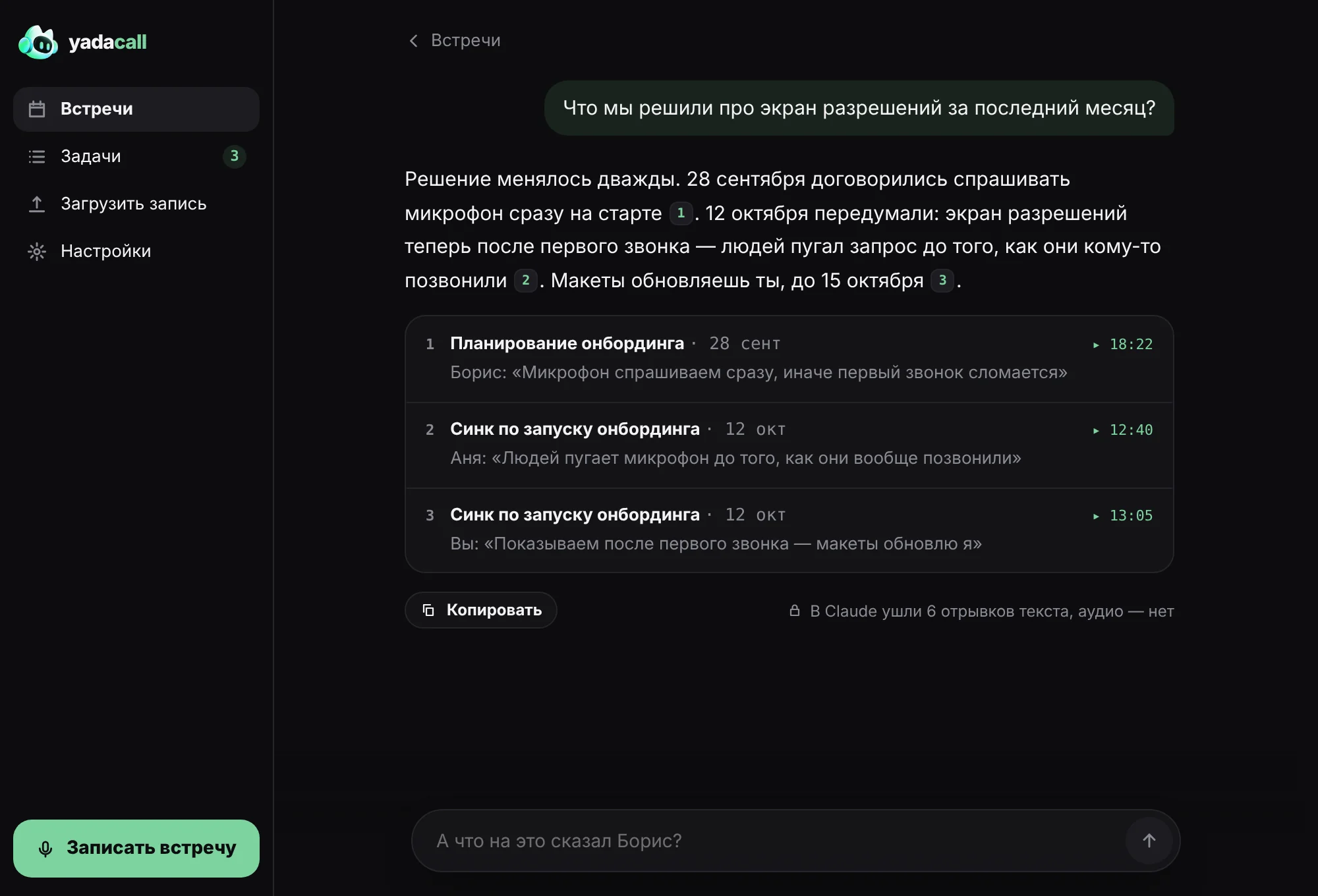
“Will it run?” — before you download
YadaCall measures your CPU, memory and Neural Engine and predicts how each model will run on your hardware. After download it runs a real benchmark and refines the forecast. If it won’t run well, it tells you.
Light, open, and yours
Rust and the system WebView — no Electron, ffmpeg or Python. The installer is 22 MB and updates itself in the app. Every meeting is a plain folder of files: take it, open it in any editor, export to Markdown or JSON.